beginner8 Bytes15m / Byte

Microsoft Copilot Agent 365 at Work

Discover how to use Microsoft Copilot Agent in the 365 environment to automate tasks and improve productivity. This course covers using Copilot with applications like Outlook, Teams, and Excel to streamline workflows and enhance decision-making. By the end of this course, you'll be able to effectively integrate Copilot into your daily work routine.

Lessons
8
Price
Free
Course Curriculum

What you'll learn

4 Modules
8 Lessons
~40m total
01
01
Module 01
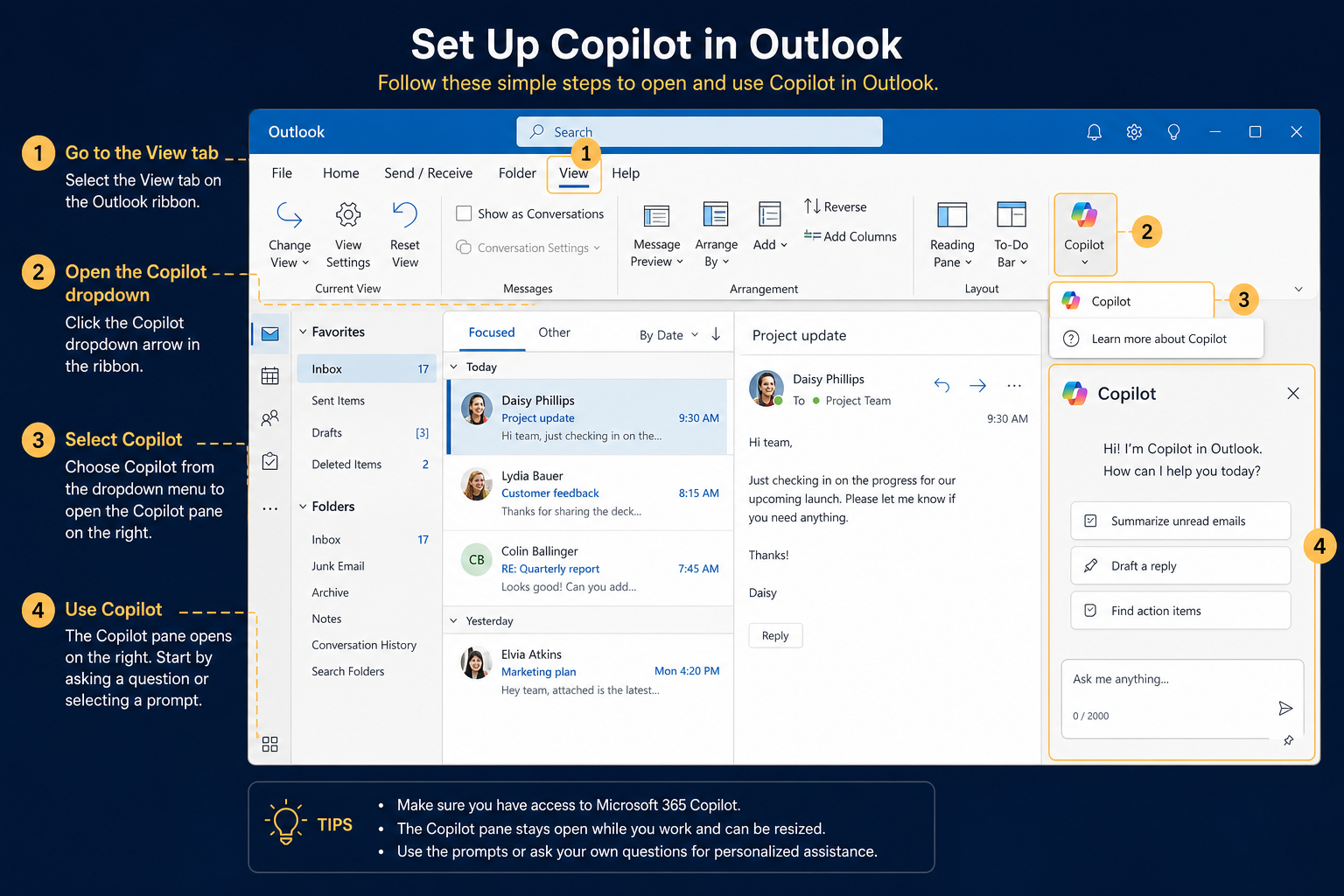
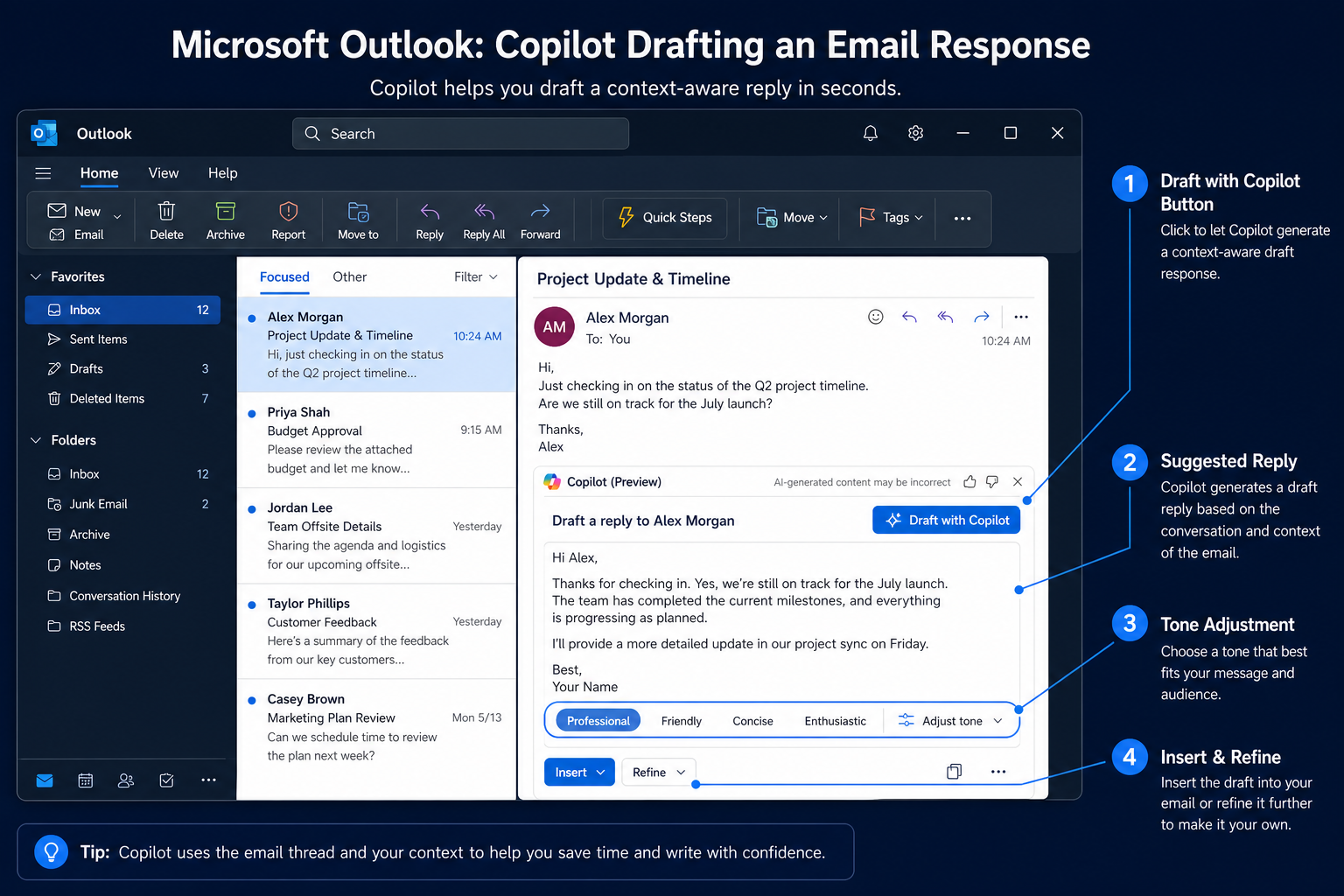
Copilot Agent in Outlook
This module explores how to integrate and use Microsoft Copilot Agent within Outlook to streamline email management and enhance communication workflows.
2 lessons10 min
0%
โ–พ
02
02
Module 02
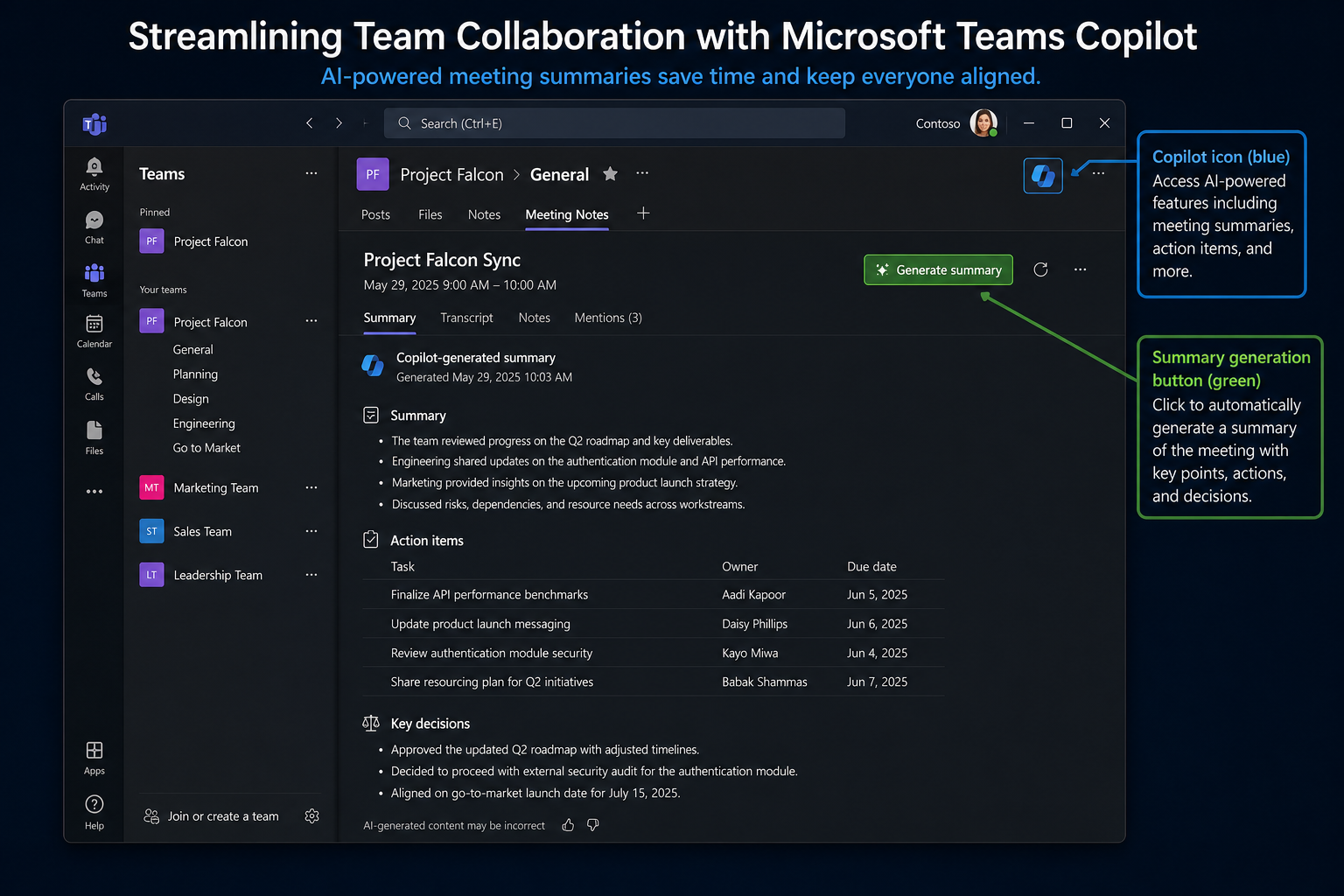
Copilot Agent in Teams
This module covers leveraging Microsoft Copilot Agent in Teams to enhance team collaboration and streamline meeting management.
2 lessons10 min๐Ÿ”’ Locked
0%
โ–พ
03
03
Module 03
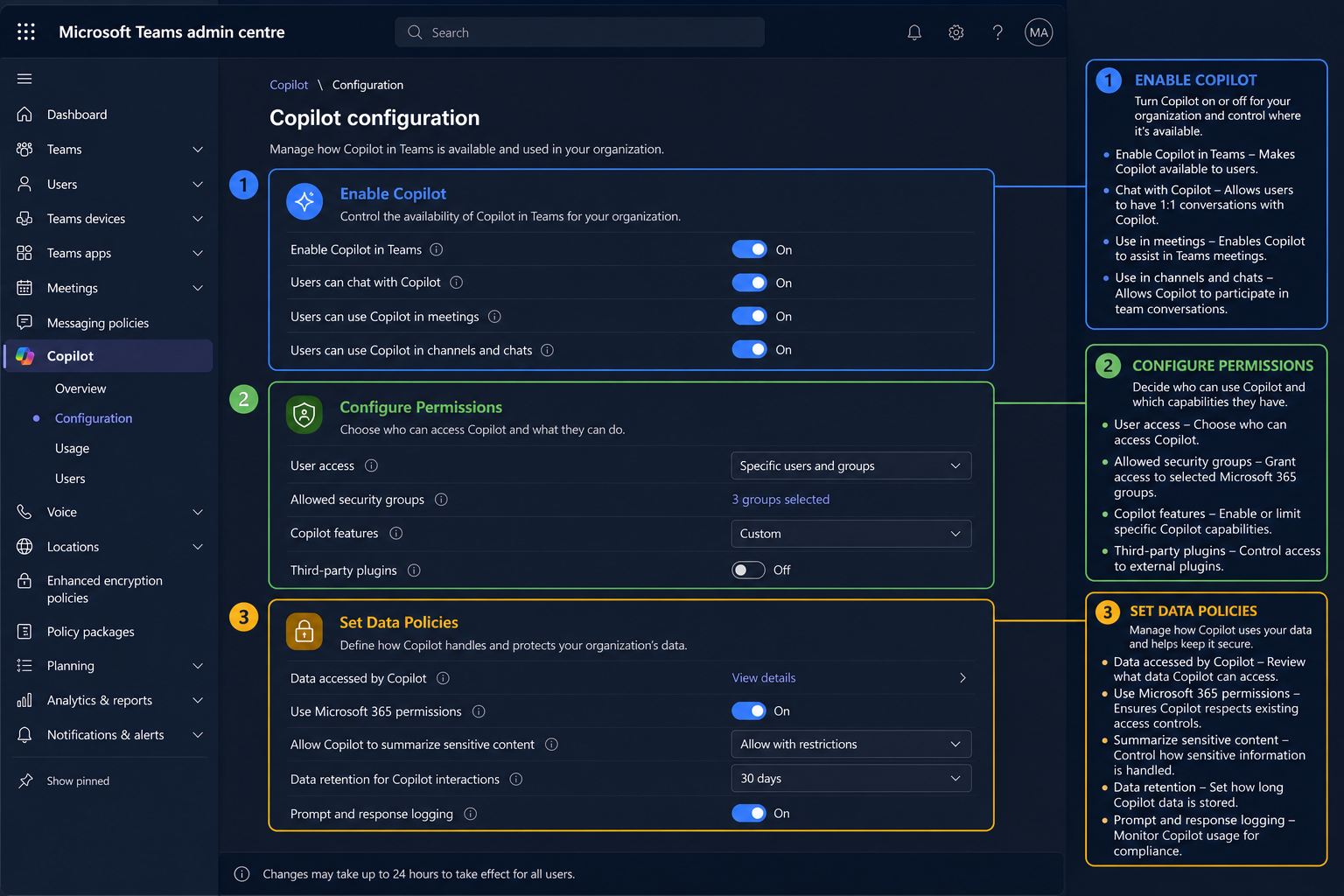
Copilot Agent Configuration
This module covers the basics of setting up and configuring Microsoft Copilot Agent within the Microsoft 365 environment. We'll explore the user interface, configuration options, and initial setup procedures.
2 lessons10 min๐Ÿ”’ Locked
0%
โ–พ
04
04
Module 04
Automating Tasks with Copilot
This module focuses on using Copilot Agent to automate common tasks within the Microsoft 365 ecosystem. We'll cover prompt engineering techniques and practical examples of automation in Outlook, Teams, and SharePoint.
2 lessons10 min๐Ÿ”’ Locked
0%
โ–พ
Ready when you are
Start learning today.
It takes 15 minutes.
Everything above is yours the moment you sign up. No card required to start.
No credit card to start ยท Cancel anytime

Certificate of Completion

Finish the course.
Earn your certificate.

Complete all lessons and the knowledge checks to receive a shareable certificate you can add to your LinkedIn profile and CV.

๐ŸŽ“ Start your free account
AI Bytes Learning
Certificate of Completion
awarded to
for completing
Microsoft Copilot Agent 365 at Work
30/06/2026
๐Ÿ”’
Complete to unlock

Ready to start learning?

Get unlimited access to this course and 50+ others with our Pro subscription.

Includes 7-day money back guarantee. Cancel anytime.

โ€” You might also like

BEFORE
WEEK 1
WEEK 2
AFTER
View Course

Beginner

Model Context Protocol

Unlock the power of Model Context Protocol (MCP) and revolutionize how you interact with AI models. This course provides a foundational understanding of MCP, enabling you to build more reliable, consistent, and effective AI applications. Learn how to structure prompts for optimal results and avoid common pitfalls in AI communication. In just one hour, you'll gain practical skills to enhance your AI interactions, regardless of your technical background. Discover how MCP can save time, reduce errors, and open new possibilities for innovation. Start mastering MCP today and transform your AI projects from concept to success. This course delivers 'antigravity' by eliminating guesswork and wasted effort in prompt engineering. By mastering MCP, you can achieve consistent, high-quality results from AI models, allowing you to focus on innovation and strategic application. [gemma]

Beginner
60m 5.0
Go to Course
BEFORE
WEEK 1
WEEK 2
AFTER
View Course

Beginner

GPT-5.5 in Practice: What's Actually New

GPT-5.5 brings several key improvements over previous models. This course explores the new features of GPT-5.5, including enhanced reasoning, improved code generation, and better handling of complex prompts. By the end of this course, you will be able to effectively use GPT-5.5 for a variety of tasks, from creative writing to software development.

Beginner
60m 5.0
Go to Course