Setting Up Claude Code
Establish a direct link between your local codebase and Claude for iterative development.
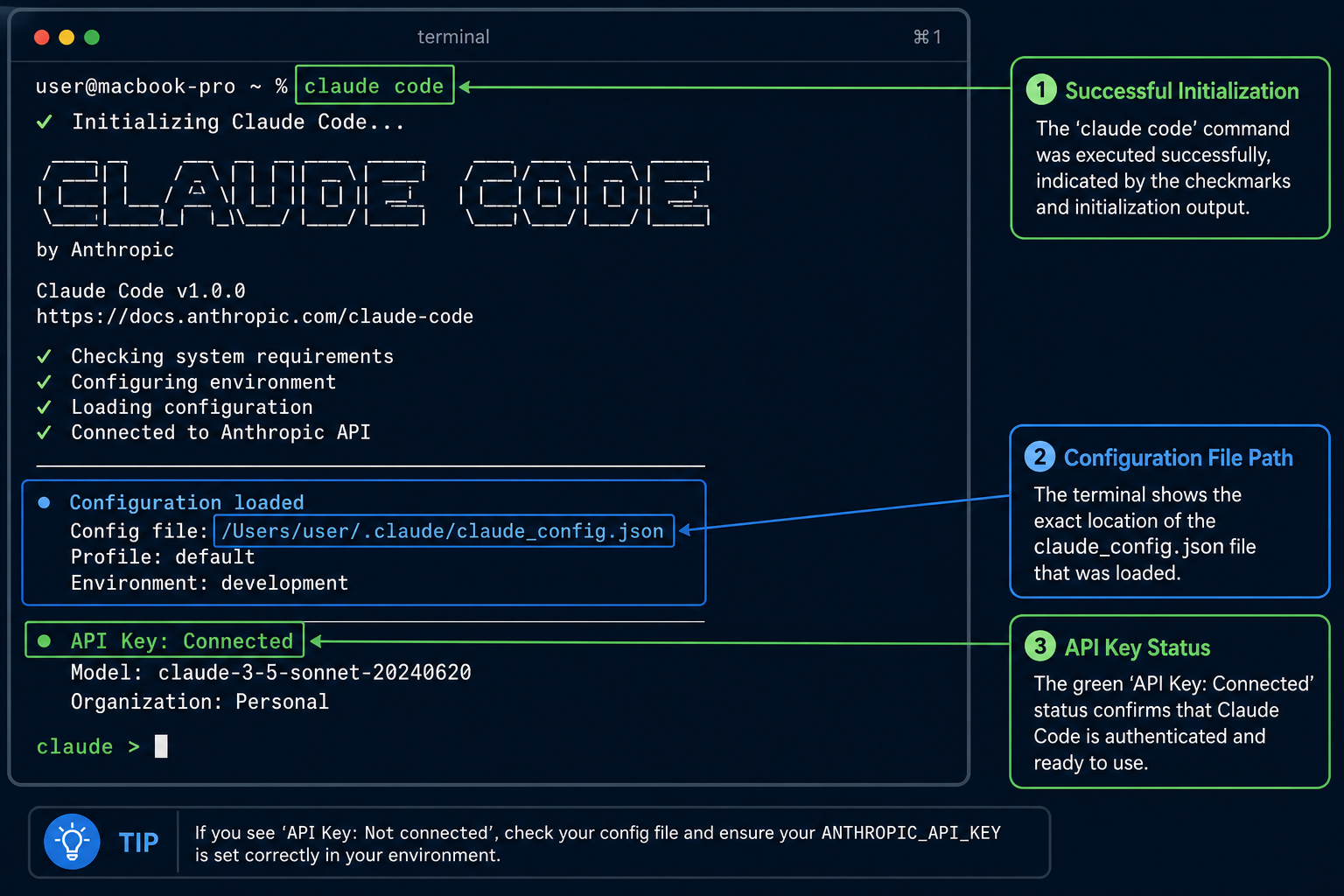
The Agentic Bridge
Claude Code functions as a command-line interface that treats your local directory as its primary workspace. Instead of you sending code blocks to a browser, the agent reads your files and suggests changes directly.
The mechanism relies on local authentication and an environment-aware agent that indexes your project structure. Once authenticated, the agent maps your file tree to its context window, allowing it to propose edits based on real-time file content.
Imagine working on a complex refactor where you need to update five interconnected modules simultaneously. Claude Code scans the dependency graph, identifies the impact of your changes, and asks for permission to apply them across all files at once.
This approach changes your role from manual coder to architectural lead. You describe the intent, and the agent executes the repetitive tasks while you focus on verification and high-level design.
Verify Installation
Identify the command required to check the current status of your Claude Code agent.
You have installed the CLI but are unsure if it is currently linked to your project directory. You need to ensure the agent is active and ready to read your local files before you begin a refactoring task.
Before we begin
Why does your AI assistant struggle to modify your local codebase without constant manual copy-pasting? The bottleneck is not the model intelligence, but the lack of a persistent, file-aware bridge.
What is the primary requirement for Claude Code to execute commands in your local terminal?
This cause-effect chain contrasts the manual overhead of chat interfaces with the integrated workflow of Claude Code. The gap between these two states represents the efficiency gain achieved through direct file system access.
API Key Scoping
Limit your API key to specific project directories. This ensures your agent cannot access sensitive data in other folders.
Environment Awareness
The agent reads your local environment variables to understand dependencies. This allows for accurate code suggestions during complex refactors.
The viewer observes the speed of the initial indexing process. This demonstrates how Claude Code gains project awareness in seconds.
Launching a Session
Initiating a local Claude Code session.
Confidence check
How confident do you feel about managing the agent's access to your files?
Test Your Understanding
If you remember only three things…
Direct Integration
Claude Code bridges the gap by interacting directly with your local files, not just your chat history.
Agentic Authority
You define the intent, but you remain the final authority on every file modification.
Security First
Scoping your API key ensures that the agent only touches the directories you explicitly authorize.
Workflow Velocity
Removing manual copy-pasting allows for faster, more complex refactoring across your entire project.
Term Glossary
4 verified conceptsFrom Manual Interaction to Agentic Control
You now understand how to move beyond browser-based chat and integrate AI directly into your local development environment. You have moved from a passive user to an active orchestrator of your codebase.
Your terminal is no longer just a monitor; it is a collaborative workspace.
In the next lesson, you will learn to manage complex multi-file refactoring tasks using the agent.
Audio lesson recap
A concise audio summary of this lesson — great for reinforcing key concepts on the go.
Hear it discussed
About three minutes on the ideas in this lesson
Sterling
AI tutor
Vivienne
Sceptical challenger
Press play to start the discussion…
Full transcript · click any line to jump
Ask anything about Setting Up Claude Code. Sterling will answer — concisely, and with his customary level of patience.