Image Basics and Manipulation
Understand how digital images are represented and manipulated at the pixel level.
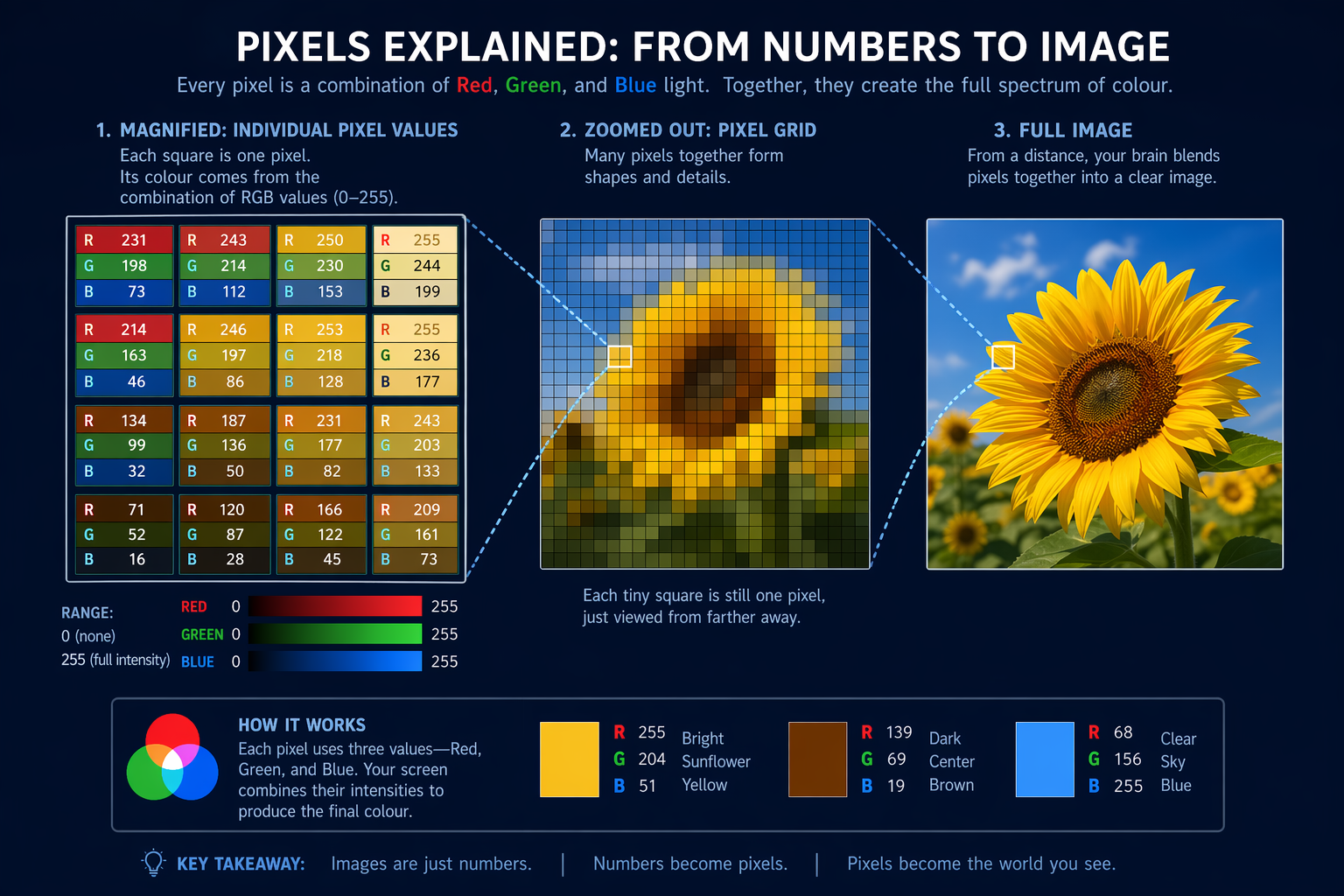
In 1957, Russell Kirsch created the first digital image by scanning a photo of his infant son - a 176×176 RGB values.">pixel grayscale image that launched the field of digital imaging. This humble beginning powers everything from smartphone cameras to medical imaging today.
This visual illustrates how Image Basics and Manipulation applies in real-world Computer Vision scenarios.
Before we begin
Why does zooming into a digital image eventually reveal tiny coloured squares? The answer lies in how all digital images are fundamentally constructed from discrete building blocks called pixels.
What do you think determines a pixel's colour?
Pixel Fundamentals
Digital images are grids of picture elements (pixels), each storing colour information. The most common representation uses three 8-bit values (0-255) for red, green and blue channels.
When you change these RGB values, you directly alter the image's appearance. This is the basis of all digital image manipulation.
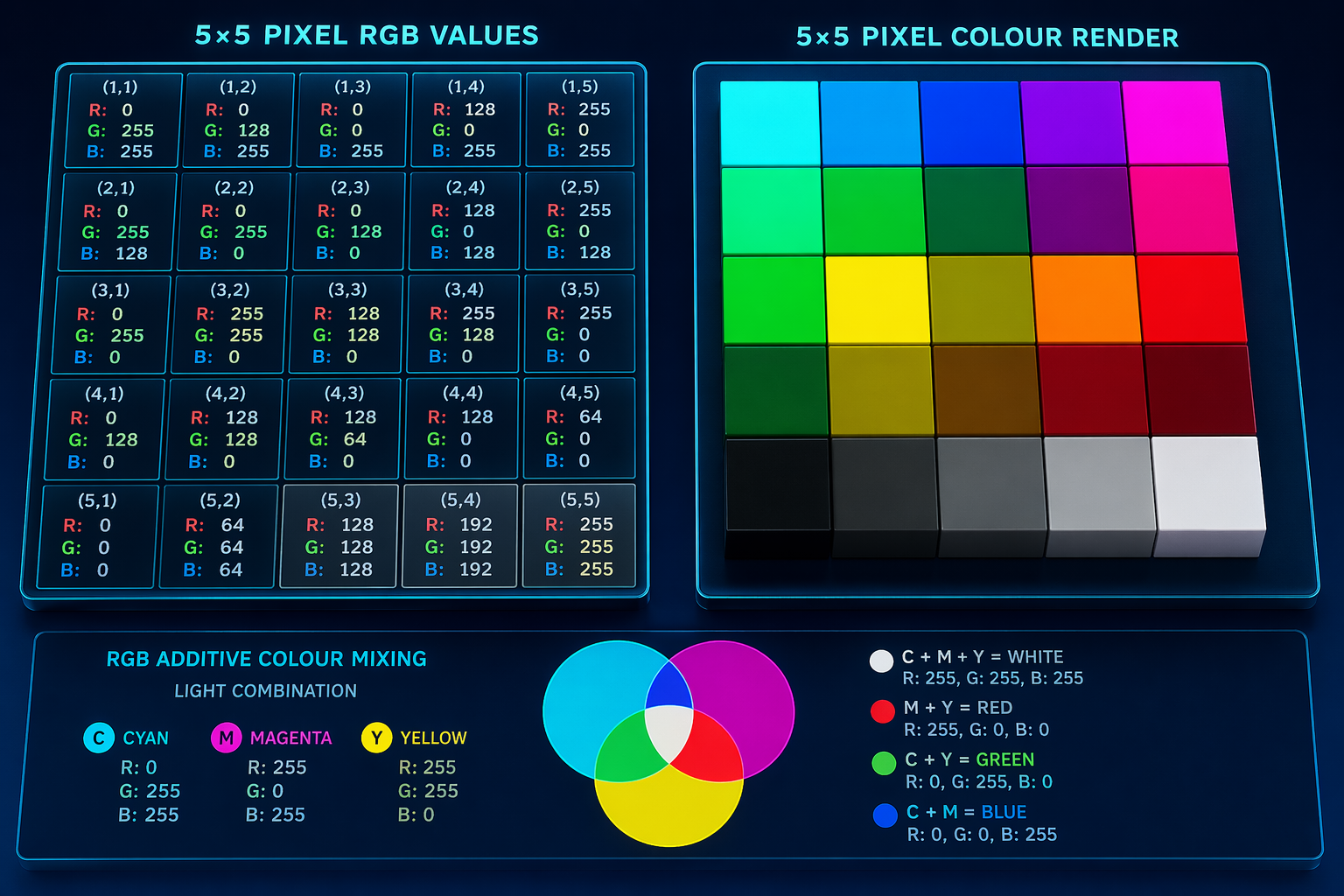
How Pixels Build Images
Image Manipulation Process
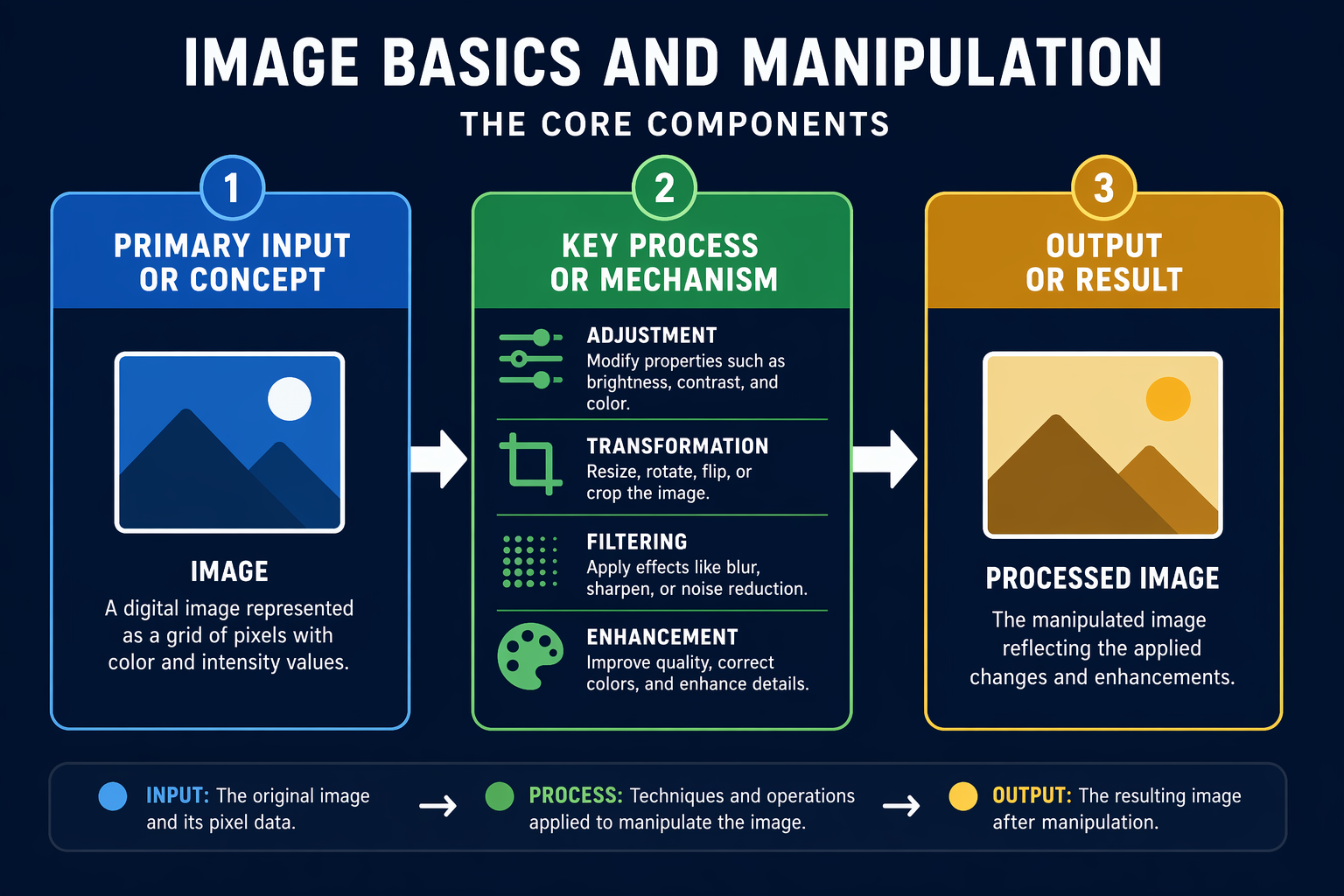
The diagram shows how image manipulation is fundamentally about changing pixel values between input and output. The transformation function could be anything from simple brightness adjustment to complex filters - but all work through this same pipeline.
Every image operation is ultimately mathematical - even artistic filters are just clever number manipulations.
You can modify colour channels separately - boosting just red values creates warmer tones.
8-bit channels (0-255) offer 16.7 million colours but some formats use higher precision for professional work.
This visual illustrates how Image Basics and Manipulation applies in real-world Computer Vision scenarios.
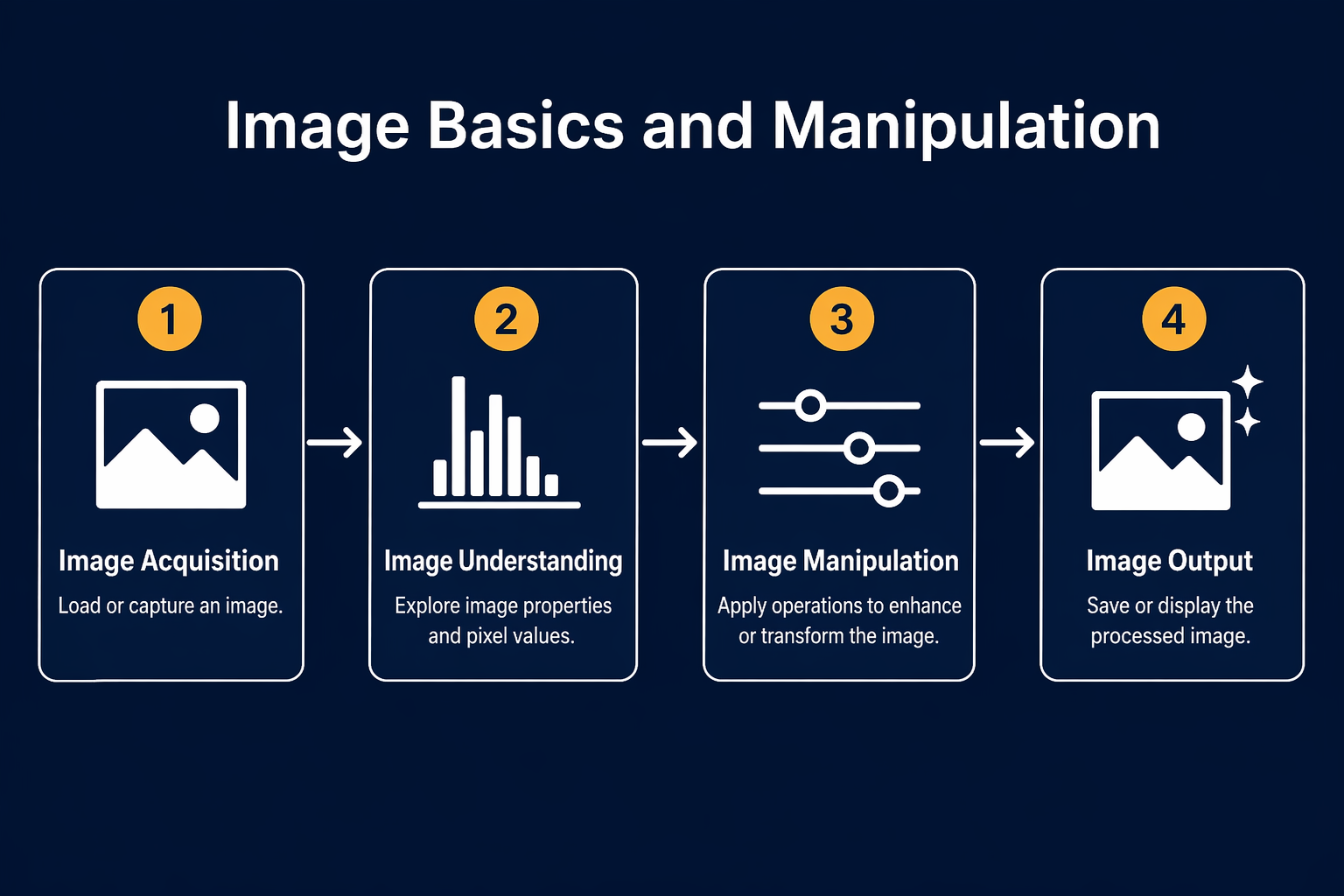
You'll see actual code modifying pixel values and the immediate visual effect this creates. This matters because it demonstrates the direct connection between programming operations and visual changes.
Pixel Manipulation in Action
Watch how changing pixel values transforms an image
Common Operations
Basic image manipulations include adjusting brightness (adding/subtracting from all channels), contrast (expanding/compressing the value range), and colour balance (weighting channels differently).
More advanced operations use neighbouring RGB values.">pixel relationships for effects like blurring or edge detection, but still work through the same RGB values.">pixel value manipulation principle.
If you remember only three things...
Pixel Grids
All digital images are rectangular grids of pixels, each storing RGB colour values.
Value Manipulation
Changing pixel values directly alters the image - this is how all editing works.
Channel Control
Red, green and blue channels can be adjusted independently for precise control.
File Formats
Different formats (JPEG, PNG etc.) store pixel data with varying compression and features.
Test Your Understanding
Complete Prompt for Image Resizing
Fill in the blanks to complete the prompt, ensuring the AI correctly resizes the image for a specific use case.
You are preparing an image for a client's Instagram post. Instagram's preferred square image dimensions are 1080x1080 pixels. You want the AI to adjust the provided image to fit this, prioritizing content preservation. Complete the prompt below: 'Resize the attached image. The desired width should be [BLANK] pixels, and the height should be [BLANK] pixels. Maintain the original [BLANK] as much as possible, cropping only if absolutely necessary. The final output format should be [BLANK].'
Term Glossary
4 verified conceptsSeeing the Pixels
You now understand digital images as grids of programmable colour values rather than just pictures. This foundation enables precise control and manipulation of visual data.
Every digital image is data waiting to be transformed.
Next we'll explore how to detect patterns and features within these pixel grids.
Audio lesson recap
A concise audio summary of this lesson — great for reinforcing key concepts on the go.
Hear it discussed
About three minutes on the ideas in this lesson
Sterling
AI tutor
Vivienne
Sceptical challenger
Press play to start the discussion…
Full transcript · click any line to jump
Pixels are the foundation of images
Digital images are fundamentally grids of pixels, each storing colour information using RGB values. Understanding this grid structure is crucial for all image manipulation techniques.
Manipulate RGB values to change images
All image editing, from simple brightness adjustments to complex filters, works by altering the numeric Red, Green, and Blue values of individual pixels. Focus on how these values combine to create visible colours.
Image operations are mathematical transformations
Every image operation is ultimately a mathematical process applied to pixel values, even artistic effects. This principle underpins advanced computer vision and image processing.
Ask anything about Image Basics and Manipulation. Sterling will answer — concisely, and with his customary level of patience.