API Setup and Configuration
Configure the Gemini 3.5 Flash API using Google Cloud credentials and a Python script.
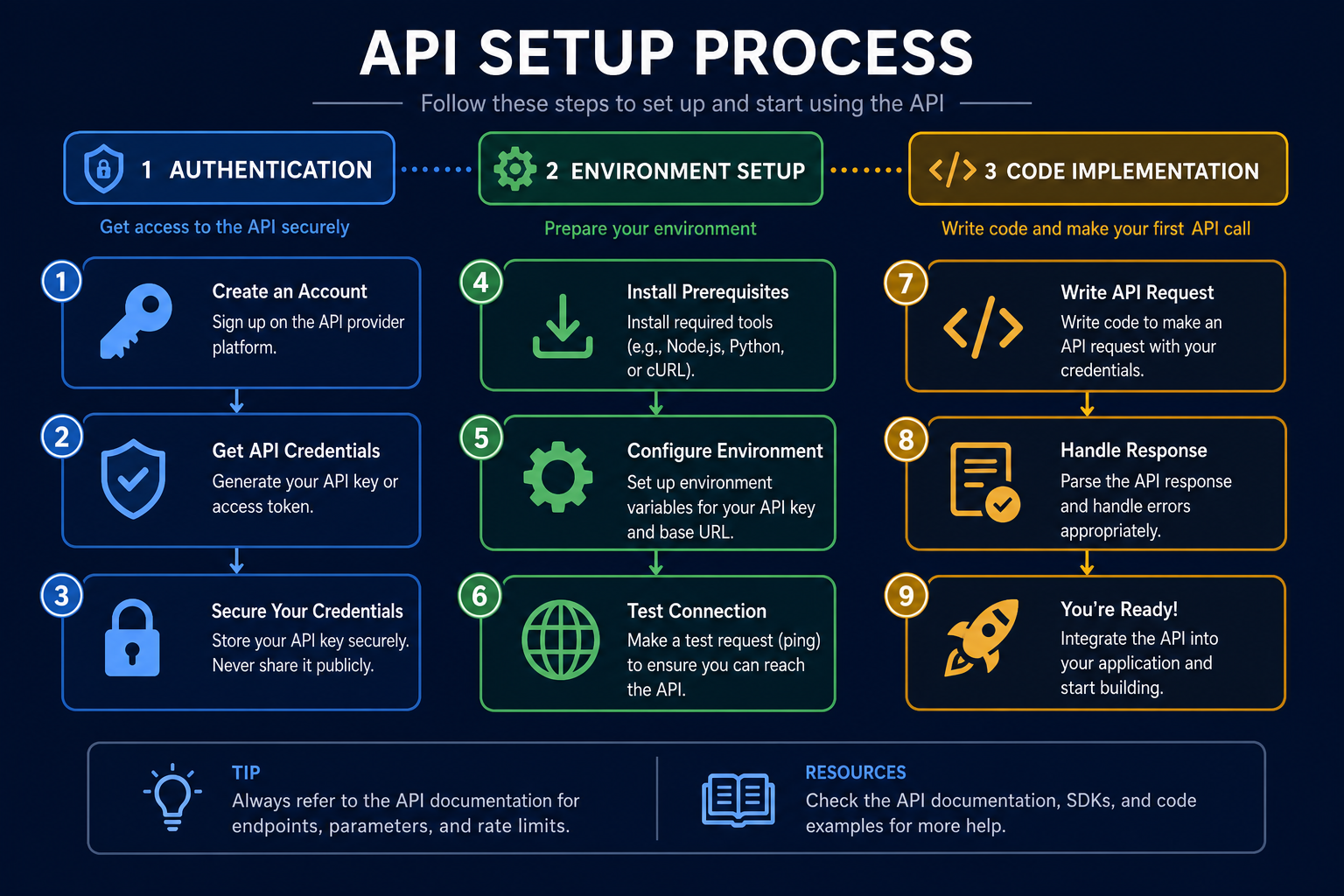
Environment Setup
Setting up your environment correctly is crucial for seamless API interaction. This involves installing the necessary Python libraries and configuring environment variables.
We'll use the `google-generativeai` library. Make sure you have the latest version installed using pip.
The API is the new canvas — code is the brush, and AI is the paint.
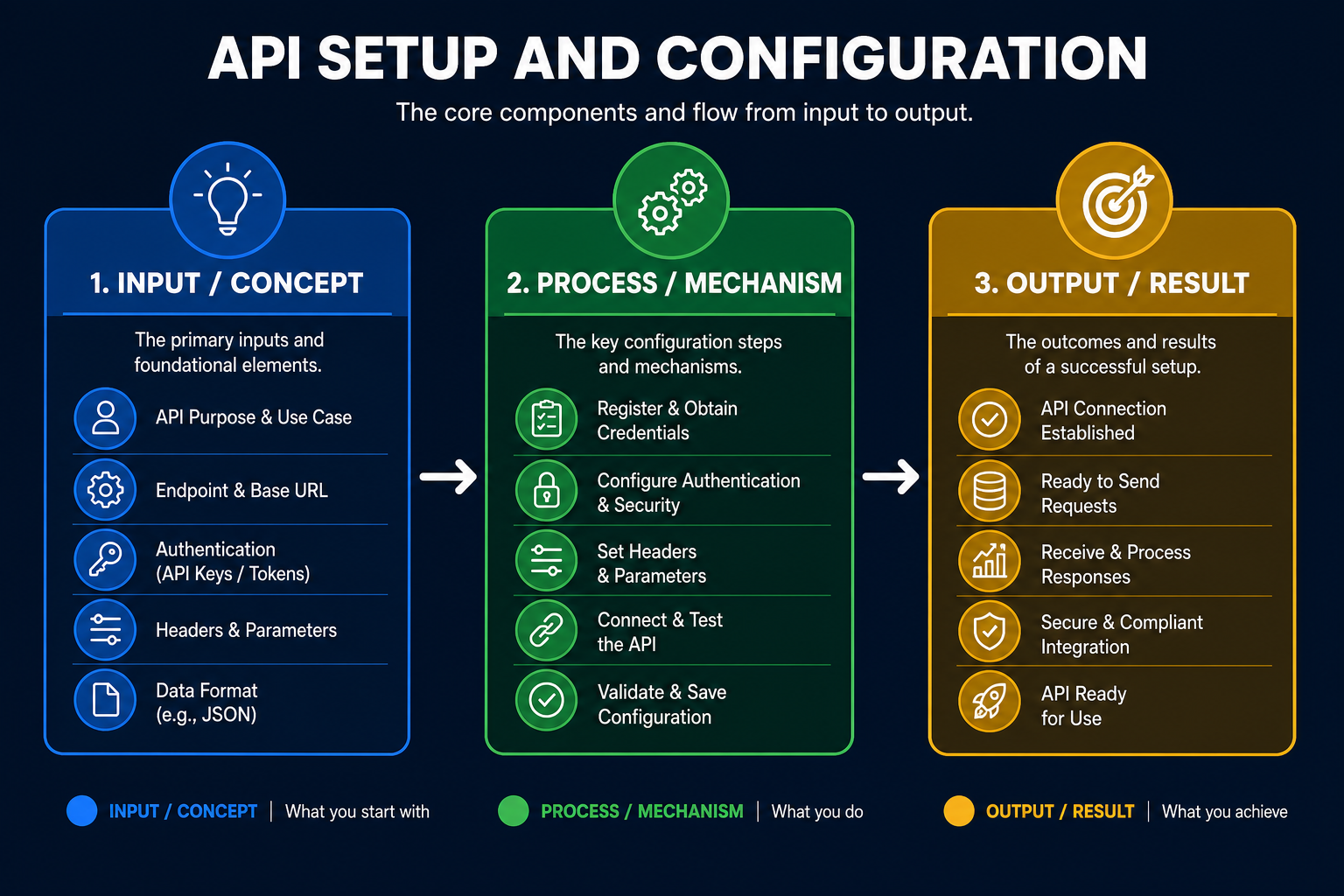
This diagram breaks down the core building blocks of API Setup and Configuration so you can see how each part connects.
The video shows the API configuration process. Witnessing the process provides clarity.
Setting up the Gemini 3.5 Flash API
See how to configure the API.
What's the most common mistake when setting up the Gemini 3.5 Flash API?
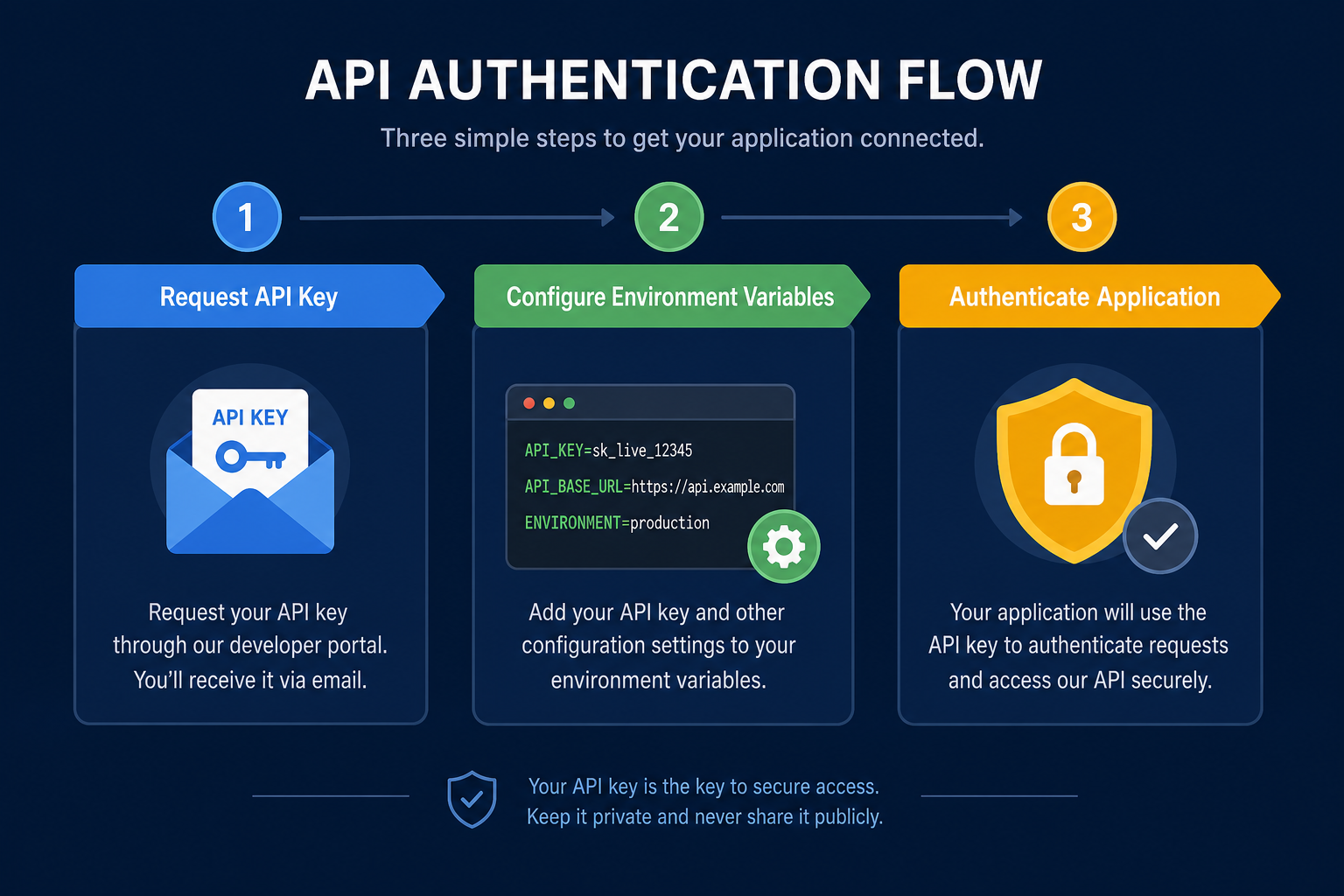
API Authentication
Code Implementation
The core of API interaction involves writing Python scripts to send requests and handle responses. We need to initialise the generative model.
This process involves using the API key and the model name.
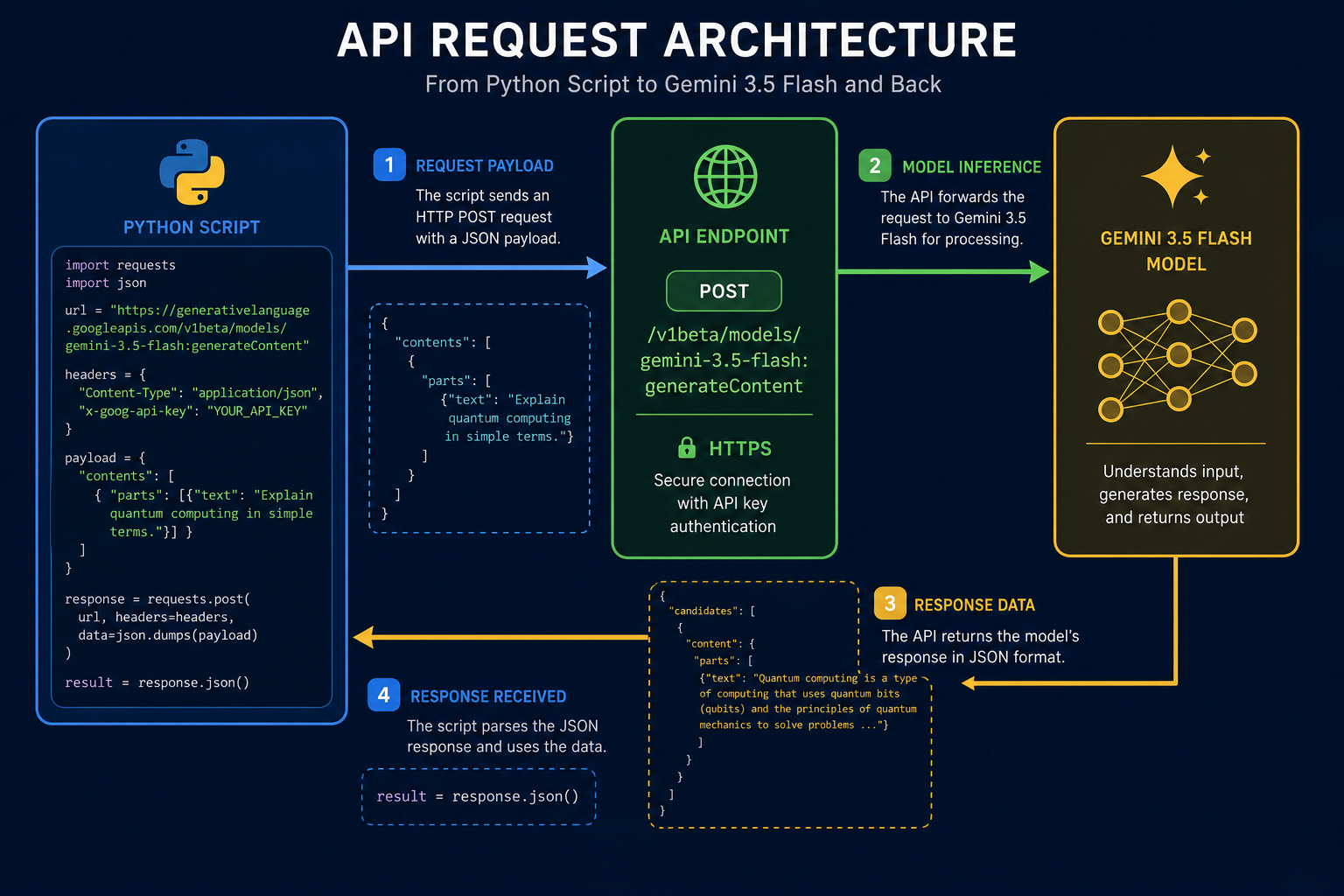
The diagram illustrates how your script interacts with the Gemini 3.5 Flash model. Understanding this architecture helps in debugging and optimising your API calls.
Configuration Process
The automated configuration simplify the process and enhances security. Manual configuration, while straightforward, can be prone to errors and less secure.
Never hardcode API keys directly into your script. Use environment variables or secure configuration files.
Keep your libraries updated. Outdated libraries can lead to compatibility issues and security vulnerabilities.
When using service accounts, grant only the necessary permissions. This minimises the impact of potential security breaches.
The video demonstrates how to troubleshoot common API errors. Learning to debug is crucial.
Troubleshooting API Errors
Debug common API issues.
Next Steps
Now that you've configured the Gemini 3.5 Flash API, you're ready to start sending requests. Experiment with different prompts and parameters to see what you can achieve.
This setup provides a reliable foundation for further exploration. You can now focus on building intelligent applications.
If you remember only three things…
API Key Security
Store your API keys securely. Never hardcode them directly into your script or share them publicly.
Environment Variables
Use environment variables to manage configuration parameters. This makes your code more portable and secure.
Library Updates
Keep your Python libraries updated. Regularly update to avoid compatibility issues and security vulnerabilities.
Automated Configuration
Automated configuration simplify the process and enhances security. Manual configuration can be prone to errors.
Test Your Understanding
Generate Gemini API key setup instructions
Write a prompt to Gemini 3.5 Flash requesting instructions and best practices for generating and securely using an API key in a new Python project.
You've just learned about Gemini 3.5 Flash and are excited to integrate it into your latest Python application. Your first step is to generate an API key and understand how to properly set it up for secure access. You want to ensure you follow best practices and avoid common pitfalls when handling sensitive credentials.
Term Glossary
4 verified conceptsSecure Connection Established
You now understand how to set up and configure the Gemini 3.5 Flash API. This knowledge equips you to securely interact with Google's AI models, implementing best practices for authentication and environment setup.
The key to learn AI's potential lies in secure, well-configured API access.
Next, we'll explore how to use prompts to generate text with the Gemini 3.5 Flash API.
Audio lesson recap
A concise audio summary of this lesson — great for reinforcing key concepts on the go.
Hear it discussed
About three minutes on the ideas in this lesson
Sterling
AI tutor
Vivienne
Sceptical challenger
Press play to start the discussion…
Full transcript · click any line to jump
Secure API keys diligently
Always use environment variables or secure files for API keys; never hardcode them directly into your scripts. This practice prevents unauthorised access and maintains the integrity of your applications.
Automate configuration for security
Automated configuration simplifies setup and significantly enhances security by reducing human error. Manual configuration, whilst seemingly straightforward, is more prone to mistakes and vulnerabilities.
Keep libraries updated for stability
Regularly update your Python libraries, especially `google-generativeai`, to avoid compatibility issues and security vulnerabilities. Staying current ensures smooth API interaction and robust application performance.
Ask anything about API Setup and Configuration. Sterling will answer — concisely, and with his customary level of patience.